Video Production
How-To & Tutorial Videos
Tutorials are the videos people actually finish, because they arrive already wanting the answer. We build modular walkthroughs — one task per video, captured against your real interface — so your support team can link a two-minute clip instead of writing the same reply for the ninth time.
- Support teams answering the same three setup questions every week
- SaaS and plugin businesses whose trial users stall before the first configuration step
- Customer success leads onboarding new accounts without booking a live training call for every feature
- Product teams shipping a feature nobody has found because the release note was the only documentation
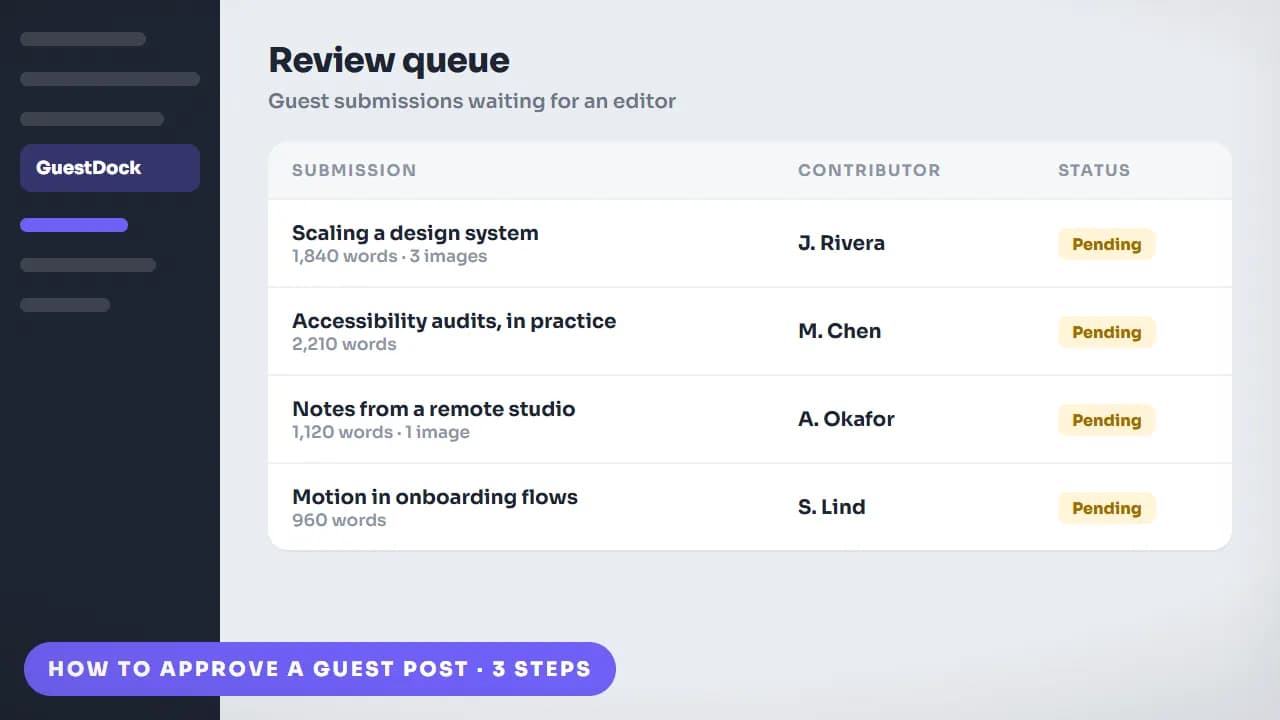
Your documentation is fine. Nobody is reading it in the right order.
Most products do not have a documentation gap, they have a retrieval gap. The help centre article exists, but it is fourteen paragraphs covering six scenarios, and the user needs one of them at a moment when they are already mildly annoyed. Written docs make the reader do the work of locating their own situation, and a surprising number of them give up and open a ticket instead, which is how the same question gets answered by a human forever. A tutorial video collapses that: the user watches the exact task performed on the exact screen and sees what the result is supposed to look like — including the part the documentation never mentions, which is what the interface does in between the steps. The mistake is producing one long product tour to cover everything. A twelve-minute video answers no question specifically enough to be linked to, and a link is the entire point.
What's included.
Every how-to & tutorial videos engagement covers all four of these — they are the work, not upsells.
One task per video, scoped from your ticket queue
We ask for your most repeated support questions, your onboarding drop-off point, or the emails your team is tired of writing, and turn that list into a set of single-task videos: connect an account, import your data, configure the one setting everybody misses. Each one is short enough to be linked from a support reply and specific enough that the person watching it does not have to skip. Scoping from real tickets is what stops the series covering features nobody struggles with.
Real UI, recorded at a teachable pace
Tutorials are the one format where faked interfaces fail immediately — a user following along notices a button in the wrong place instantly and stops trusting the video. So we capture your real product, then clean it up rather than reconstruct it: cursor paths smoothed so the click target is obvious, waiting states compressed, the relevant region zoomed at the moment it matters, and callouts drawn where the eye needs to go. Sensitive or account-specific data is masked before delivery.
Chapters, captions, and a transcript that can be indexed
Every video ships with chapter markers and timestamps, burned-in captions, and separate .srt and .vtt files. The sidecar caption file is what makes the spoken content searchable and lets YouTube key-moment markup work; the transcript can be pasted straight into a help centre article so the same production serves both the video and the written page. Chapters also make a longer walkthrough usable as a set of deep links to individual steps.
Built to survive your next release
Products change, and a tutorial that shows a button that no longer exists is worse than no tutorial. We structure each video so a single screen can be replaced without re-cutting the whole thing, keep every capture and comp in the delivered project, and — where a UI is mid-redesign — build the walkthrough around abstracted screens that stay accurate across releases. Updating one step becomes a small job instead of a new commission.
See the work.
Style samples for this service — grouped by what they demonstrate, because that is how buyers actually choose.
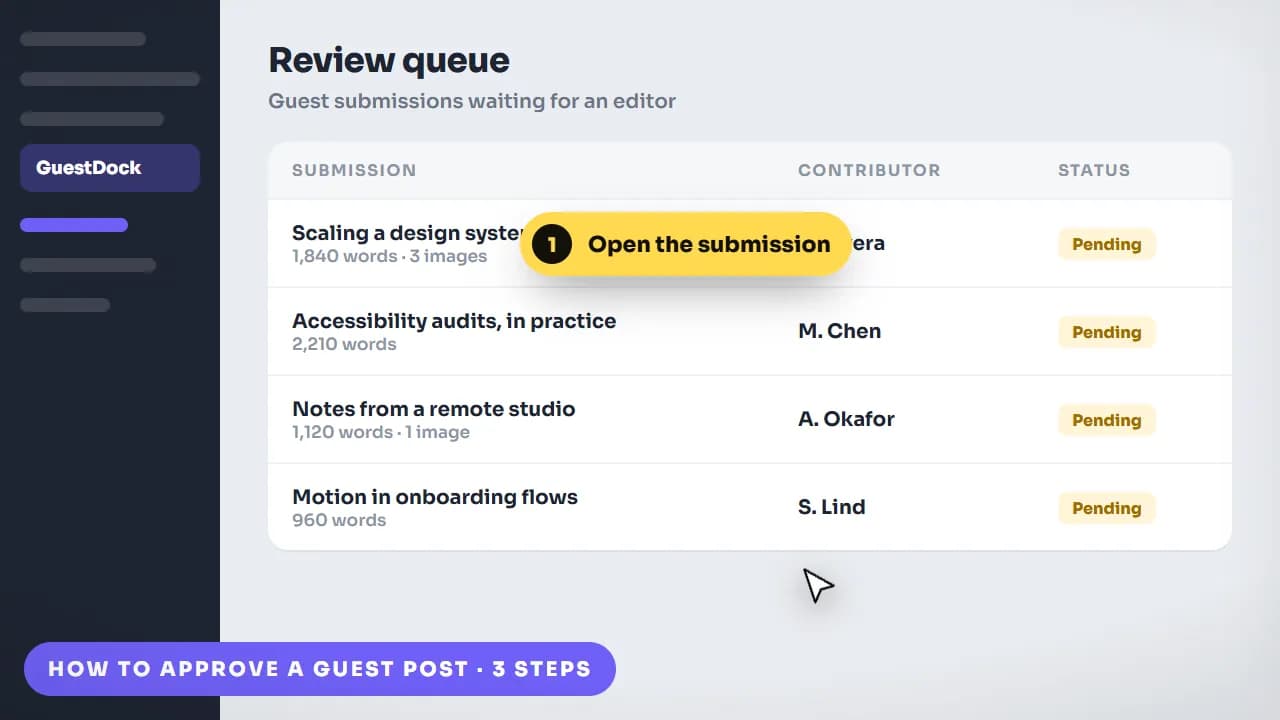 “Open GuestDock, then the review queue.”
GuestDock tutorial set · one task, one video, one support question closed
What you actually receive.
Resolutions, ratios, formats, and source files — stated up front rather than discovered at handover. Full delivery specification.
- Length
- 60–120 seconds for a single-task tutorial; up to 3–5 minutes for a full walkthrough
- Structure
- One task per video, or a chaptered walkthrough with timestamped sections
- Master resolution
- 1080p or 4K, captured at the frame rate your UI records at
- Aspect ratios
- 16:9 master for help centres and YouTube, plus 9:16 cutdowns for in-app and social
- Captions & transcript
- Burned-in captions, separate .srt and .vtt files, and a plain-text transcript for your docs
- On-screen guidance
- Cursor highlighting, click indicators, zoom-ins, and callout annotations
- Privacy
- Account names, emails, keys, and customer data masked before delivery
- Source files
- Full project with every screen capture kept separate, so one step can be re-recorded alone
How it gets made.
The sequence for this service specifically. How we work, in detail.
- 01
Ticket audit
You send the questions support answers most often, or your onboarding drop-off data. We turn that into a ranked list of videos, ordered by how much repeated human effort each one removes.
- 02
Task decomposition
Each topic is broken into the smallest linkable unit. This is where a nine-minute product tour becomes six two-minute videos, and where we agree what each one is explicitly not covering.
- 03
Clean capture
We record the real flow on a demo or seeded account with realistic-looking data, at a pace a first-time user could follow, and mask anything account-specific before it goes anywhere near an edit.
- 04
Narration and annotation pass
Voiceover, callouts, zooms, and click indicators are laid over the capture, and the pacing is adjusted to how long a step actually takes. You review a watermarked draft with your revision rounds.
- 05
Chaptering and delivery
Chapter markers, caption files, transcripts, and the editable project are delivered together, named so they can be dropped straight into a help centre, an onboarding email, or a support macro.
Where we've done it.
Real clients, live products. Every one of these links to the finished work in the place it actually runs.
HealthTech · Digital Prescriptions
CloudRx
An AI-animated promo that makes digital prescribing feel effortless for doctors
Read the case study Watch the videoDesktop App · YouTube Publishing Automation
Tubeup
Showing a bulk-upload tool beat the manual routine it replaces, in one pass
Read the case study Watch the videoWordPress · Community & Support Platform
ZenCommunity
Turning five plugins' worth of features into one clear pitch in under a minute
Read the case study Watch the videoWordPress · Image CDN & Performance
PixJet
Explaining server-side image optimization to people who just want a faster site
Read the case study Watch the videoWhat it costs.
Solo Launch at $300 is the entry point that includes a tutorial video alongside a product intro, a walkthrough, and five reels, with a 5-day turnaround for the whole kit. Startup Boost adds a feature-specific explainer and more social assets. Teams building out a full modular tutorial library over time usually move onto the monthly retainer, where each video is a single request from the queue.
$300
Solo Launch
A full launch-day kit for one product.
5-day turnaround · 2 revision rounds
$550
Startup Boost
Everything in Solo Launch, built out for your first ad tests.
7-day turnaround · 3 revision rounds
$950
Growth Bundle
A distinct brand look, built for scaling acquisition.
10-day turnaround · Unlimited revisions
$1,600
Scale Package
A full-funnel content push, all at once.
14-day turnaround · Unlimited revisions
How-To & Tutorial Videos questions.
60 to 120 seconds if it covers a single task, which is the format worth defaulting to. A full walkthrough covering an entire product area can run three to five minutes, but only if it is chaptered so a viewer can jump to the step they need. The failure mode is one long video covering everything — it is too general to be linked from a support reply, and support links are where most tutorial views come from.
Several short ones, in nearly every case. Short single-task videos can be linked from a specific help article, a support macro, an onboarding email, or a tooltip, and each one is cheap to re-record when that part of the UI changes. A long walkthrough only gets watched once, by people evaluating the product rather than using it — which is a different asset with a different job. If you need both, produce them together so they share captures and a visual system.
They give your team something specific to link instead of retyping an answer, which is the mechanism by which repeated questions stop consuming human time. We will not promise you a percentage, because the honest answer depends on your ticket mix and whether the videos are actually surfaced at the moment of confusion. What we do control is scoping the series from your real ticket queue rather than your feature list, and delivering clips short enough that a support agent will genuinely paste the link.
Yes, every tutorial ships with burned-in captions plus separate .srt and .vtt files and a plain-text transcript. The sidecar files make the spoken content indexable and accessible, and they are what platform chapter and key-moment features read. The transcript is deliberately supplied in plain text so it can be pasted into the matching help centre article — one production then serves both the video and the written documentation.
Each step is kept as a separate capture inside the delivered project, so replacing one screen is a small re-record rather than a new production. Tell us at the brief stage if a redesign is coming — where a product is mid-change we build the walkthrough around abstracted screens that stay accurate across releases. Because you own the source files, your own team can also swap a screen without coming back to us.
A demo or seeded account is by far the best input, because a tutorial has to show the real interface at its real pace and with plausible data in it. Clean screen recordings at 1080p or higher work when access is not possible, though they limit our ability to re-record a step later. We mask account names, emails, API keys, and any customer data before delivery, and credentials you share are stored in a password manager and revoked at project close.
Fixed-price packages run 3 to 14 days for the entire kit — Solo Launch, which includes a tutorial, is a 5-day turnaround. A custom-scoped tutorial library outside the package ladder runs 7 to 10 days. If you are producing tutorials continuously as features ship, the monthly retainer is usually the better fit: individual requests average about 48 hours each, handled one at a time from a queue you control.
More on ownership, licensing, payment, and revisions in the full FAQ.
What clients say.
“Degird was great to work with. They understood what I wanted and delivered a clean, high-quality promo and walkthrough videos that matched my expectations. Communication was smooth, and the whole process was easy. I'd definitely recommend Degird.”
Ratul Hasan
“I had a fantastic experience with Degird! I worked with them to implement a Lottie animation for my application, and the results exceeded my expectations. The process was smooth, professional, and the team made everything easy to integrate. Highly recommend Degird for anyone looking to enhance their app with high-quality animations!”

SM Jony
Verified reviews, not cherry-picked quotes.
We'd rather send you to an independent review platform than write our own testimonials. See what clients say about working with Degird on Trustpilot.
Read Our Trustpilot ReviewsNeed how-to & tutorial videos?
Tell us what the video has to achieve and when you need it. We reply within one business day with a package or a scoped quote.
Start your project