Motion Graphics
Social Media Kits
A posting cadence dies for one reason: the next asset isn't ready. A social media kit fixes that by producing a batch at once — ten or more short vertical videos plus the static and motion pieces around them, each properly reframed for 9:16, 1:1 and 4:5 rather than cropped from a landscape master. You get a queue to schedule against instead of a deadline to panic about.
- Founders who committed to posting three times a week and ran out of assets in week two
- Marketing teams with one good product video and no short-form to cut from it
- SaaS and plugin businesses who need the same launch to land on Instagram, TikTok and LinkedIn in three different shapes
- In-house designers who can make one beautiful asset a week but are being asked for ten
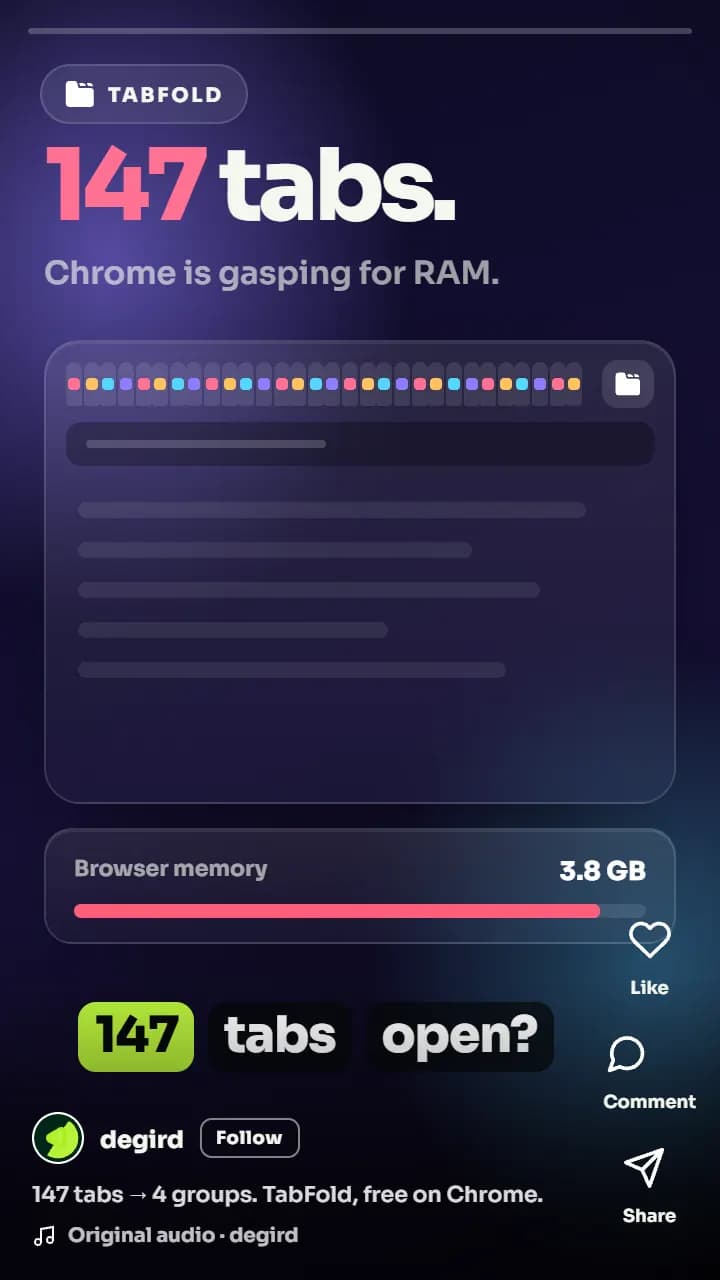
Social doesn't fail on quality — it fails on volume
Almost nobody's social problem is that their videos aren't good enough. The problem is arithmetic. A platform rewards frequency, an algorithm needs several attempts to find the audience for a piece, and a single well-made hero video gives you exactly one attempt. So the calendar gets filled with whatever exists: a landscape trailer letterboxed into a vertical slot, a screenshot with a caption, a reshared blog link. Each of those costs you a post slot and teaches the feed that your account is not worth surfacing. The other failure mode is the centre crop — one master exported four ways, with the headline sliced in half on TikTok and the logo hidden behind the caption bar on Reels. Both problems are solved the same way: produce the batch as a batch, design each ratio as its own frame, and hand over enough finished assets that the calendar is full before the month starts.
What's included.
Every social media kits engagement covers all four of these — they are the work, not upsells.
A batch of short vertical videos, built to be scrolled past
The core of the kit is short-form: ten reels under twenty seconds each on the entry package, more on the larger kits. Each one is cut to make its point before a thumb moves — the strongest frame first, no logo sting, no slow build. They come from one production session, which is why a batch of ten costs a fraction of ten separate commissions, and why the whole set shares a look instead of drifting stylistically across the month.
Every ratio designed, not cropped
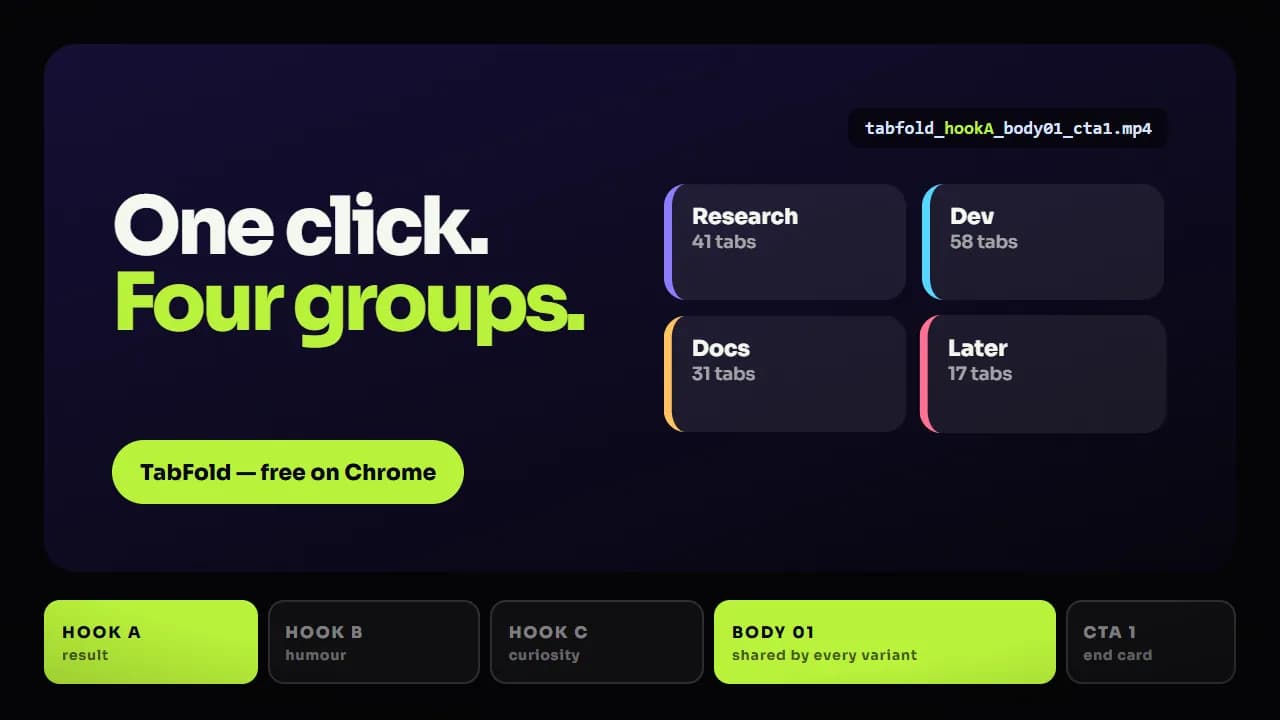
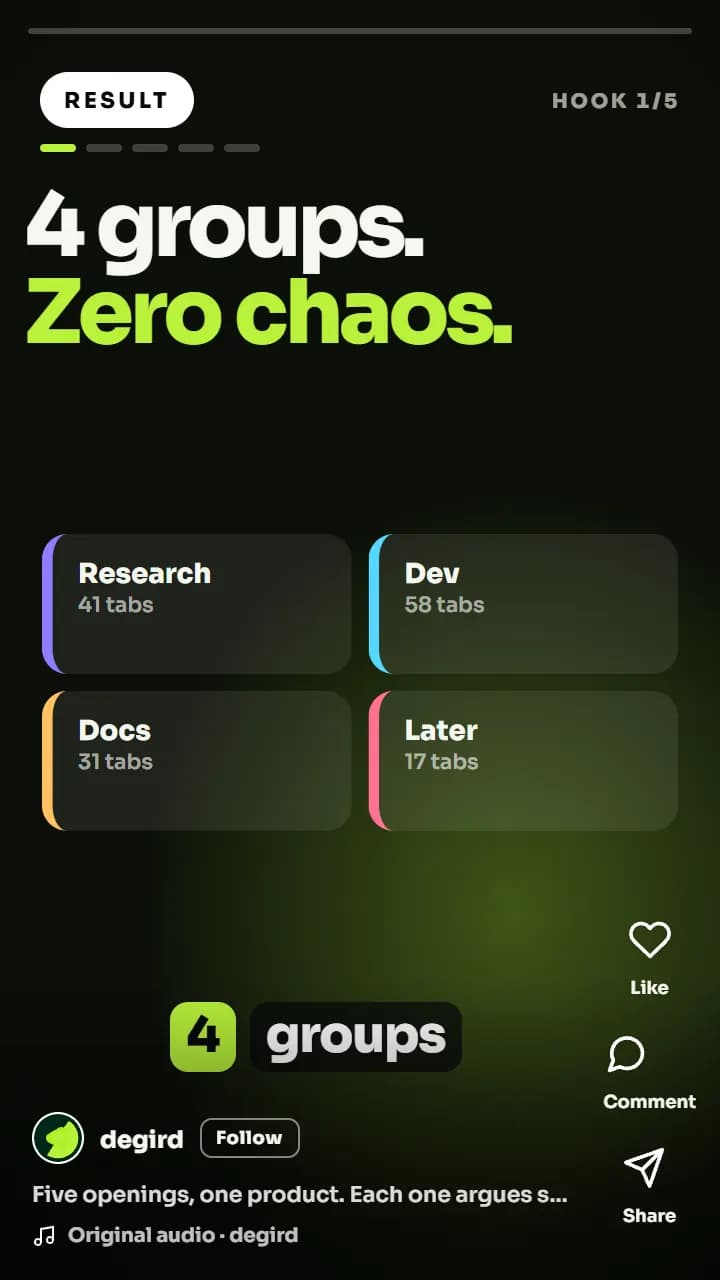
9:16 for Reels, TikTok and Shorts. 4:5 for the Instagram and Facebook feed, because it claims the most vertical space a feed post is allowed. 1:1 where a square still reads best. Each is laid out as its own frame with type re-set and the subject repositioned, and each keeps its content clear of the platform's own interface — the caption block, the right-hand action rail, the profile strip. A centre crop is not a version; it is the same file with the important part removed.
Captions, cover frames, and the text that goes with the post
Sound-off is the default state of a feed, so captions are burned in and styled to your brand rather than dropped in as an auto-generated default. You also get separate .srt and .vtt files for platforms that index them, a chosen cover frame per video so your grid doesn't look like a set of random freeze-frames, and the on-screen hook line supplied as text you can reuse in the caption itself.
Static and motion assets around the video
A feed is not only video. The larger kits include the surrounding set — animated banners, quote and stat cards built from your own material, feature-highlight graphics, and story-sized frames — so a launch week has more than one shape of post available. Everything is delivered with the editable source files, so your designer can spin new versions from the same template without coming back to us.
See the work.
Style samples for this service — grouped by what they demonstrate, because that is how buyers actually choose.
Type re-set per ratio inside the safe area — not one frame cropped three ways
What you actually receive.
Resolutions, ratios, formats, and source files — stated up front rather than discovered at handover. Full delivery specification.
- Volume
- 10 reels under 20s each on Reel Only; 5 on Solo Launch, 8 on Startup Boost, 15 on Scale
- Vertical master
- 9:16 at 1080×1920, with content held inside the safe area for Reels, TikTok and Shorts UI
- Feed ratios
- 4:5 at 1080×1350 and 1:1 at 1080×1080, each reframed and re-typeset rather than cropped
- Formats
- MP4 (H.264) per platform preset; ProRes or WebM on request
- Captions
- Brand-styled burned-in captions plus separate .srt and .vtt sidecar files
- Cover frames
- A chosen cover still per video, exported at 1080×1920 and 1080×1350 for the grid
- Audio
- Stereo mix at −14 LUFS plus a music-and-effects-only stem for re-voicing later
- Source files
- Full After Effects / Premiere project with linked assets and fonts, plus the hook lines as plain text
How it gets made.
The sequence for this service specifically. How we work, in detail.
- 01
Angle list before anything is cut
We take your product, your existing footage and your positioning, and come back with a written list of one angle per video — the specific claim or moment each piece is built around. You approve the list, which is where a batch of ten either becomes ten distinct posts or ten versions of the same post.
- 02
Template and look pass
One video is made first, in full, as the template: caption style, type scale, colour, motion vocabulary, end frame. You sign that off before the other nine are produced, so a note about the look costs one asset to fix instead of the whole batch.
- 03
Batch production
The rest of the set is produced against the approved template. Working in a batch is what keeps the price down and the visual identity consistent — the same build, re-timed and re-scripted per angle, rather than ten separate projects that happen to share a logo.
- 04
Ratio and safe-area pass
Each approved video is rebuilt in the other ratios you need, with type re-set and the subject repositioned for the new frame, then checked against the platform overlays so nothing important sits under a caption bar or an action button.
- 05
Delivery as a schedulable queue
Everything arrives together and named consistently — video, ratio, caption files, cover frame — so it can be dropped straight into a scheduler. You get the source project files in the same handover.
Where we've done it.
Real clients, live products. Every one of these links to the finished work in the place it actually runs.
SaaS · AI Email Marketing
EmailFunnelAI
Turning a prompt-to-funnel AI tool into a story people understand in 60 seconds
Read the case study Watch the videoSaaS · AI Content Summarization
TubeOnAI
Showing, not telling, how one platform turns hours of video into a two-minute read
Read the case studyWordPress · Image CDN & Performance
PixJet
Explaining server-side image optimization to people who just want a faster site
Read the case study Watch the videoWhat it costs.
The entry point is the Reel Only package: $100 for 10 promotional reels under 20 seconds each, with a 5-day turnaround and one revision round per reel. If you also need the hero assets those reels cut from, Solo Launch is $300, and Startup Boost at $550 adds a 10-piece static-and-motion kit for Instagram, TikTok and LinkedIn on top. Teams posting continuously usually move to the monthly retainer, where single requests average about 48 hours from the queue.
$100
Reel Only Package
Start a social posting cadence this week.
5-day turnaround · 1 revision round per reel
$300
Solo Launch
A full launch-day kit for one product.
5-day turnaround · 2 revision rounds
$550
Startup Boost
Everything in Solo Launch, built out for your first ad tests.
7-day turnaround · 3 revision rounds
$1,600
Scale Package
A full-funnel content push, all at once.
14-day turnaround · Unlimited revisions
Social Media Kits questions.
The Reel Only package is 10 reels, each under 20 seconds. Solo Launch includes 5 reels alongside the longer hero assets, Startup Boost includes 8 plus a 10-piece static and motion asset kit for Instagram, TikTok and LinkedIn, and the Scale Package includes 15. If you need a continuous stream rather than a fixed batch, the monthly retainer is the better fit, because it delivers one request at a time from a queue you control instead of one large drop.
Both, and the mix changes the price less than you would expect. If you have product footage, screen recordings or an existing hero video, we cut short-form from that material, which is the fastest and cheapest route. If you have nothing usable, we build the reels as motion graphics around your UI, your brand and your copy. What does not work as a source is compressed footage pulled off a social platform, because it has already been re-encoded and cannot be re-timed or re-framed cleanly.
The edit does; the frame does not. Each platform puts its own interface over your video in a different place — TikTok's action rail and caption block sit further up the frame than Instagram's, and LinkedIn's feed favours 4:5 or 1:1 over full-height vertical. So we deliver the ratios you need as separate reframed versions with type re-set for each, not one file exported three times. That is the difference between a video that reads on all three and a video whose headline is hidden on two of them.
Yes. Before anything is cut we send an angle list — one line per video saying what that specific piece argues — and you approve it. From there we write the on-screen hook and the caption text that appears in the video itself. You also receive those hook lines as plain text with the delivery, so the same wording can go into the post caption rather than being retyped from a screenshot.
The Reel Only package has a 5-day turnaround for the whole batch of ten. Larger kits run longer because they cover more assets produced together — 7 days on Startup Boost, 10 on Growth Bundle, 14 on Scale — and the figure is printed on each package rather than quoted case by case. The roughly 48-hour figure you may have seen on our pricing page describes one request on the monthly retainer, not a whole kit.
No. We produce and hand over; you keep control of the accounts, the timing and the copy. In practice that is why delivery is organised the way it is — consistent file naming, one folder per ratio, cover frames chosen, caption files and hook text included — so the batch can be loaded into whatever scheduler you already use in a single sitting. If you want the posting handled too, we will happily work alongside the social manager who does it.
A brand kit (logo as SVG if possible, colours, fonts), whatever product access or footage you have, and one sentence on what the batch is for — a launch, a feature push, general awareness. Then one named approver who can sign off the angle list and the template video. Feedback assembled from several people and forwarded in fragments is the single most common reason a batch slips its date.
More on ownership, licensing, payment, and revisions in the full FAQ.
What clients say.
“Degird was great to work with. They understood what I wanted and delivered a clean, high-quality promo and walkthrough videos that matched my expectations. Communication was smooth, and the whole process was easy. I'd definitely recommend Degird.”
Ratul Hasan
“I had a fantastic experience with Degird! I worked with them to implement a Lottie animation for my application, and the results exceeded my expectations. The process was smooth, professional, and the team made everything easy to integrate. Highly recommend Degird for anyone looking to enhance their app with high-quality animations!”

SM Jony
Verified reviews, not cherry-picked quotes.
We'd rather send you to an independent review platform than write our own testimonials. See what clients say about working with Degird on Trustpilot.
Read Our Trustpilot ReviewsNeed social media kits?
Tell us what the video has to achieve and when you need it. We reply within one business day with a package or a scoped quote.
Start your project